
Every agency using Notion will tell you it works.
And it does. Until you have eight clients, four active campaigns per client, two new team members who don't know where anything lives, and a prospect asking a question whose answer is sitting in a doc that has no idea what's actually happening on that account right now.
Notion works until it doesn't. And when it stops working, it doesn't announce itself. It just quietly taxes every conversation, every onboarding, every handoff, until the friction becomes the cost of running the business.
That's the Notion trap. It feels like organization. It functions like a drawer.
What Was Actually Breaking
The problem wasn't the tool. It was the gap between where the work lived and where the work happened.
Docs in Notion. Tasks in Trello. Client context in someone's head. Every time a team member needed to answer a client question or pick up a task mid-sprint, they were doing three context switches before they wrote a single word.
There was a deeper problem too. A Notion page about a client couldn't know anything about that client's live tasks, hours logged, or current status. It was just text, sitting next to the real work instead of inside it.
Picture this: a team member is mid-task on a client campaign. They need the outreach SOP. They leave the task, switch tools, find it, copy the relevant part, go back to the task. Six minutes gone, every single time, because the doc and the work were never in the same place to begin with. That's not a bad hire. That's a bad system.
Knowing something and being able to use it in the moment are two different things.
For agencies, that gap compounds fast. Missed context means repeated questions. Repeated questions mean slower output. Slower output means eroded margin, on every engagement, every month.
What We Built Instead
We built Knowledge app directly into the Connectt Hub, our internal operating platform where client work, tasks, time tracking, and team coordination all run. Not a standalone app bolted on the side, but a workspace woven into the system that already runs the company. Same login, same security, same data, no new account and no new bill.
Every client gets their own workspace. Docs are organized by client and project, structured the same way across every account, and built using the same tools you'd expect from any modern workspace: long-form docs, relational databases you can view as a spreadsheet or a kanban board, SOPs, and templates.
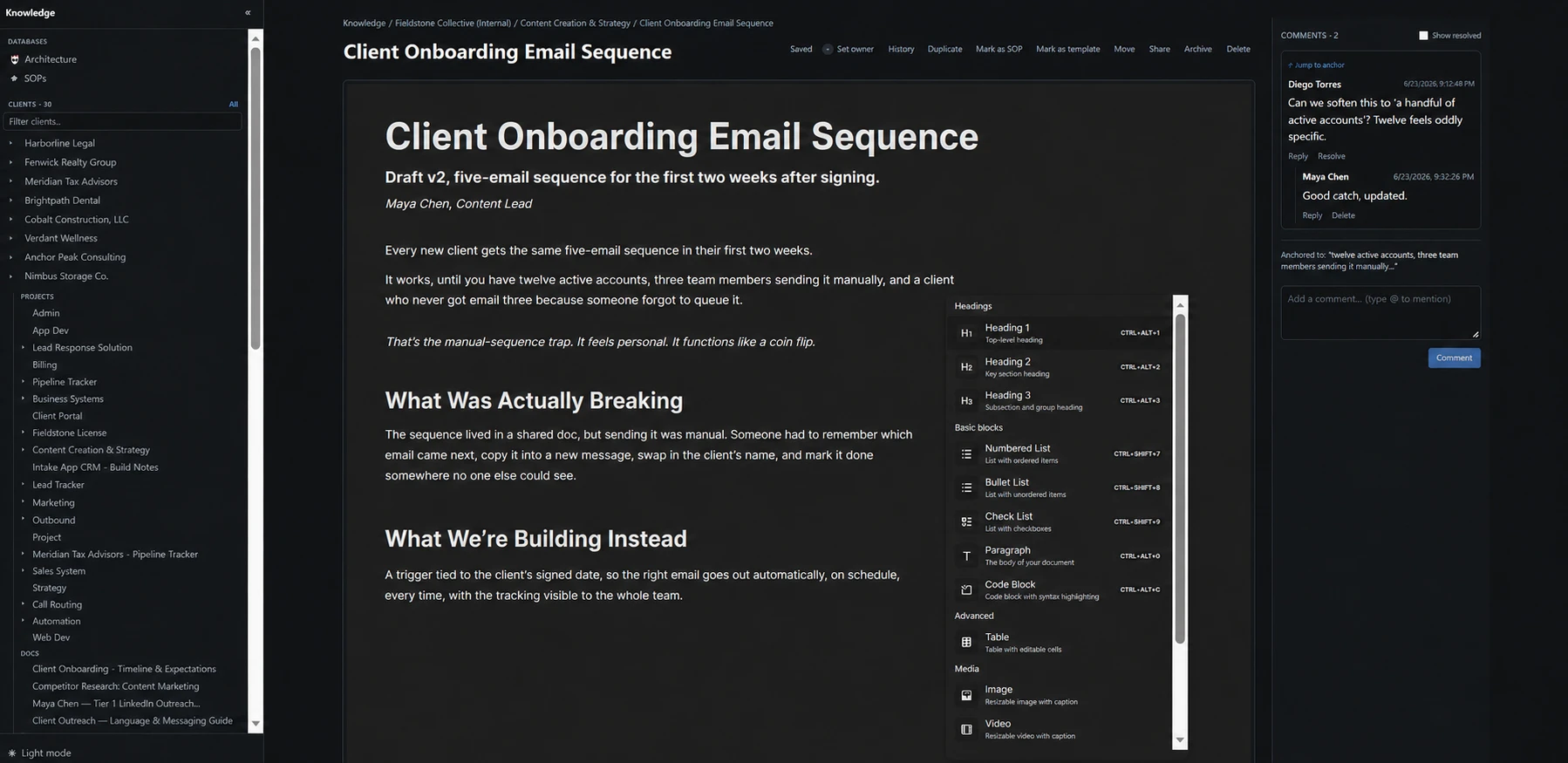
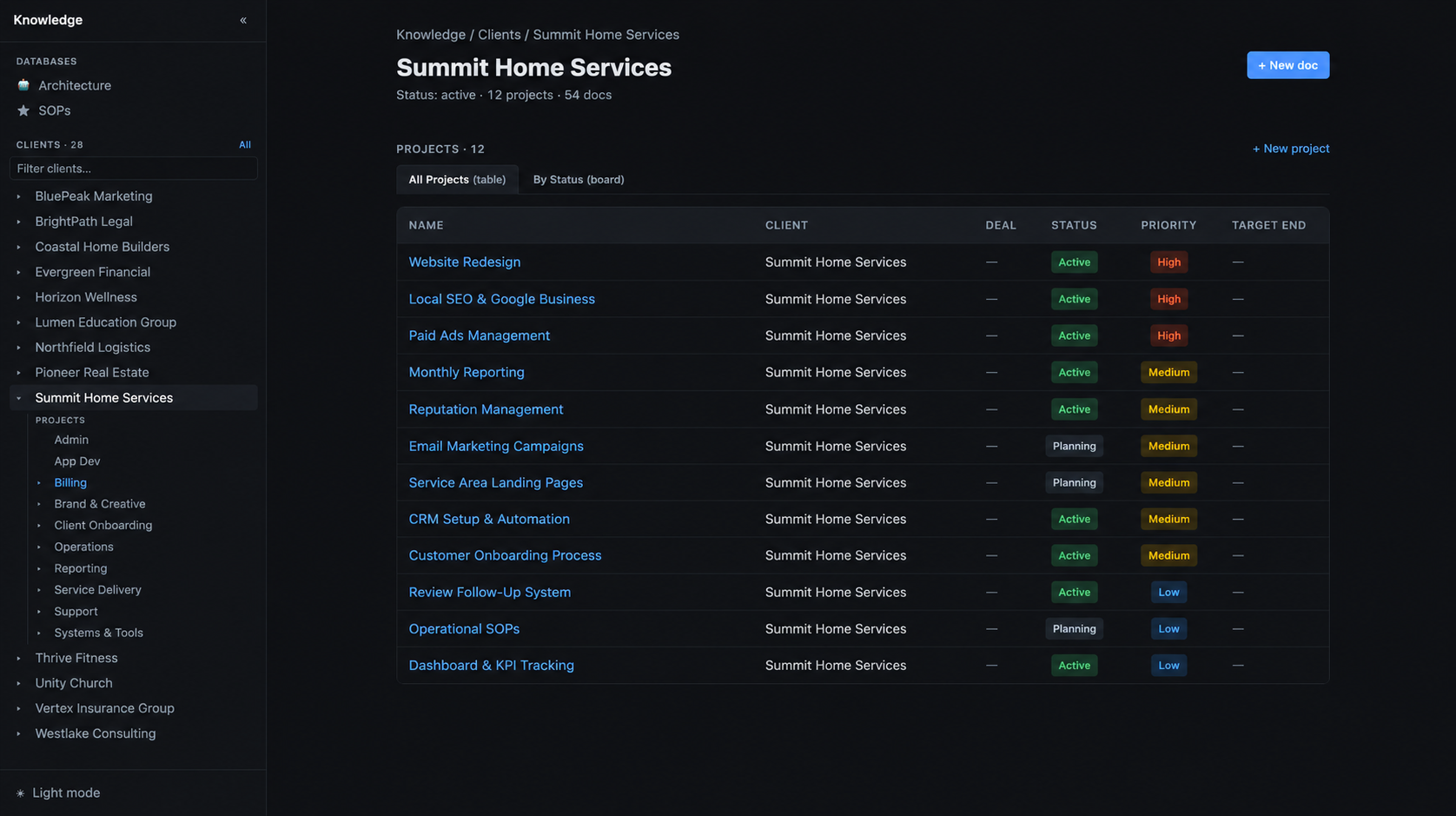
Open a task card and the relevant docs for that client are already attached. No searching in a separate tab. That's the exact six-minute detour the old setup created every time, removed.
Before: We used Trello for tasks and Notion for docs, so we'd paste a link to the relevant Notion page into a Trello card just to connect the two.
Now: We open the task itself, and the relevant docs are already attached, organized by client and project, and searchable without leaving the task.
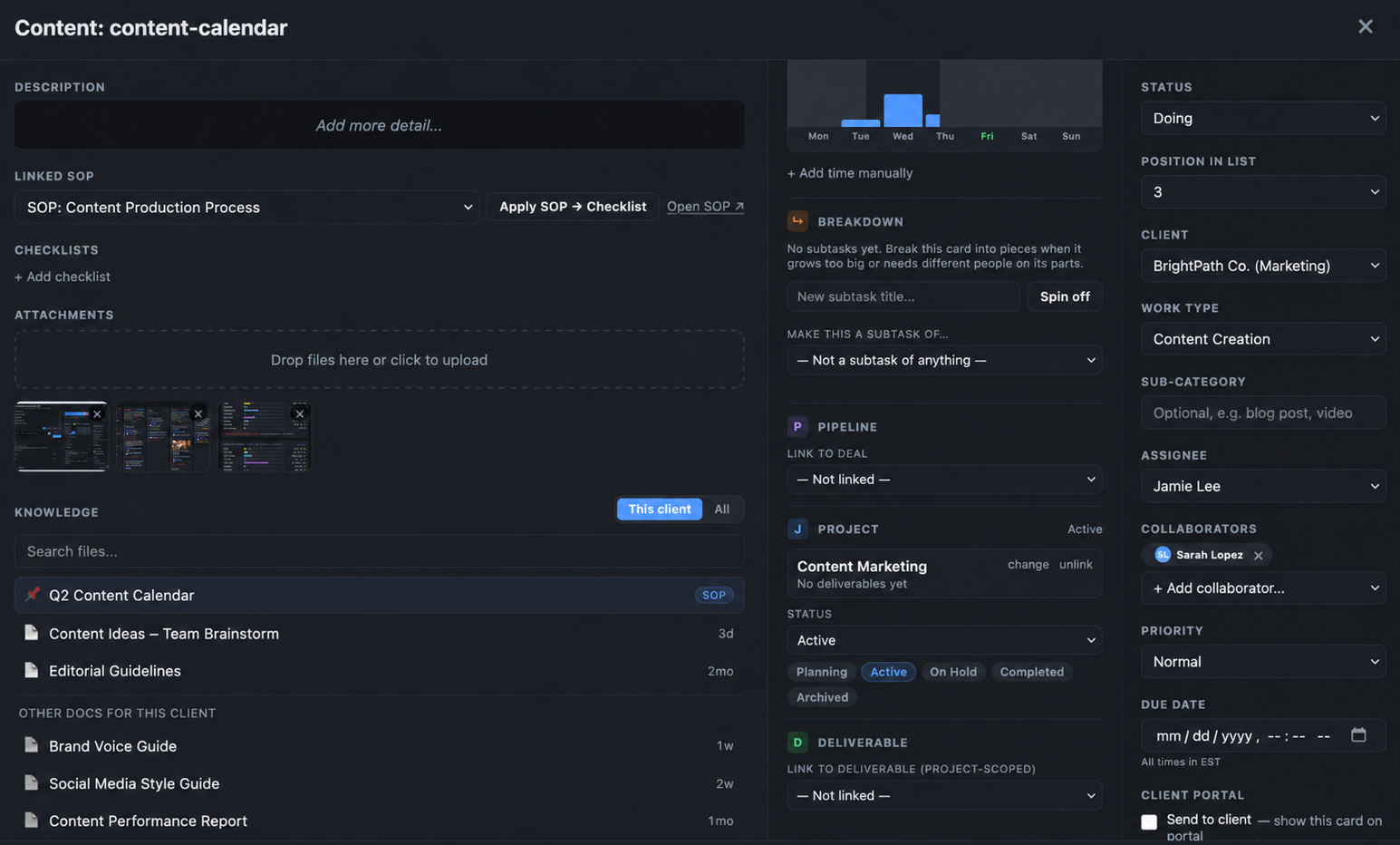
That's the point. Not a prettier version of Notion. A system built around how agency work actually moves.
What Makes It Actually Different
This is the part that matters most, and it's where the real, specific gaps are, not the vague ones.
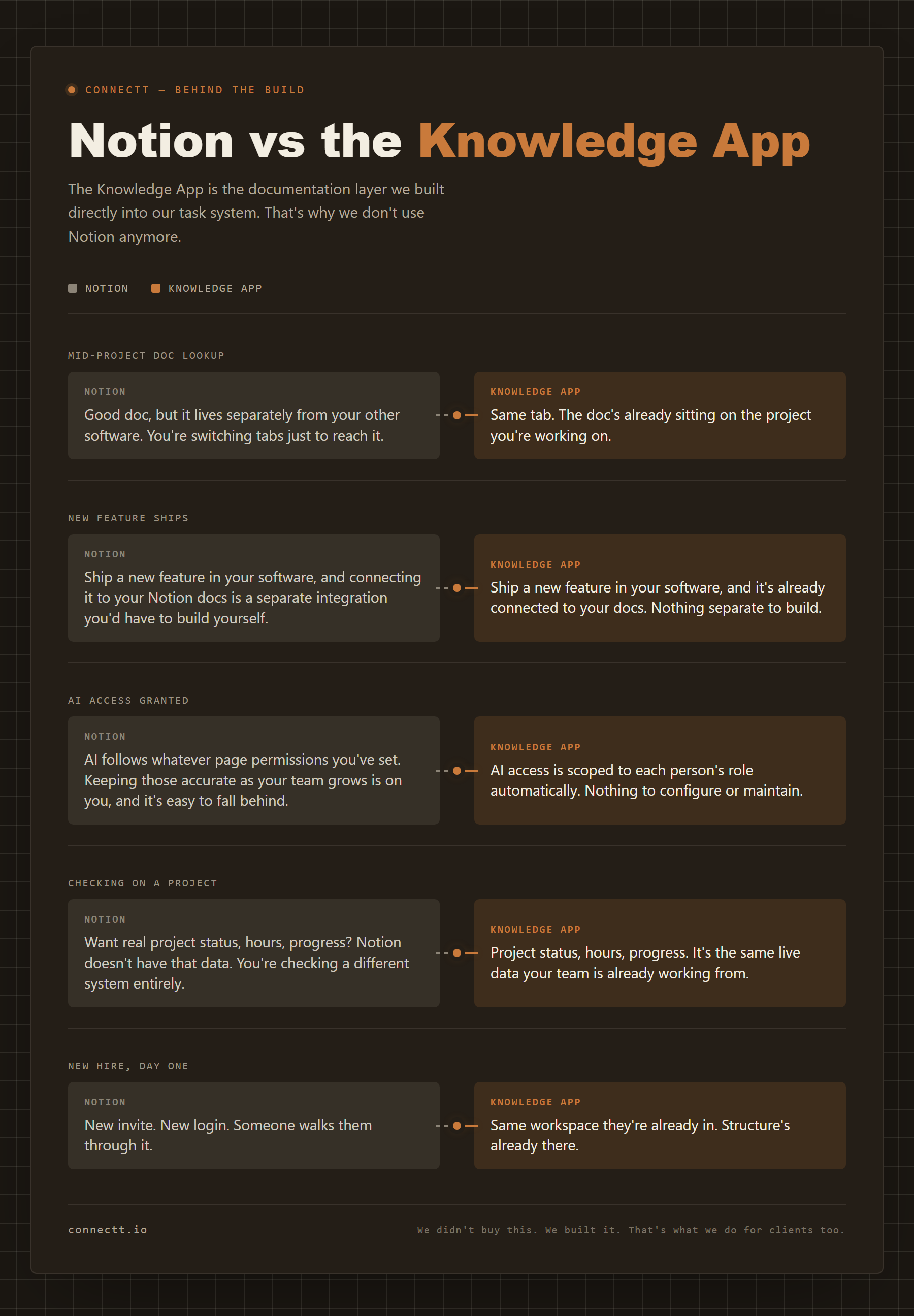
Docs that know our live data. A client's page in Knowledge app can show that client's real, current tasks and logged hours. In Notion, a client page doesn't do that on its own. Here, the doc and the live operations are the same system.
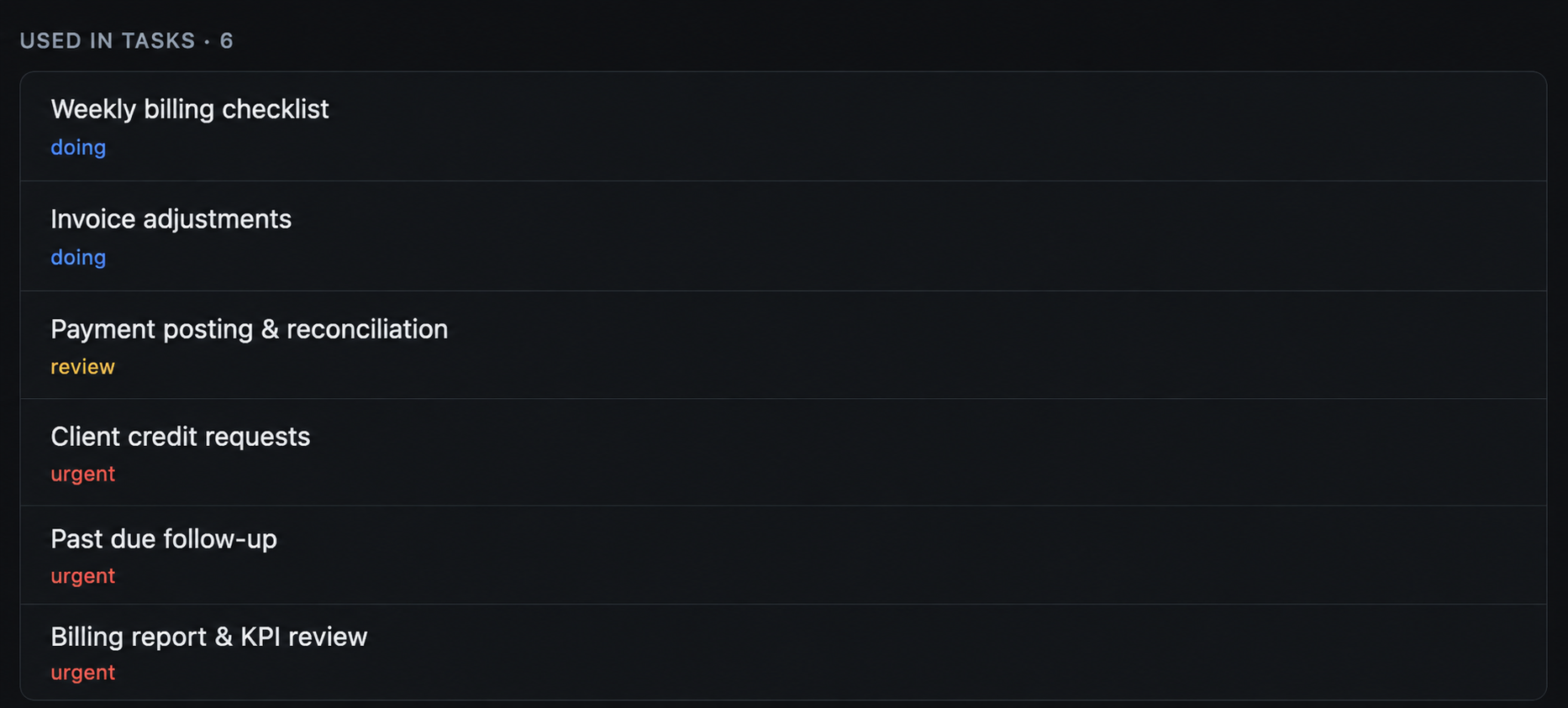
Write a procedure once, see everywhere it's used. Because docs link directly to tasks, an SOP shows a live list of every job currently running off it. Notion doesn't connect to a separate task tool to show that natively.
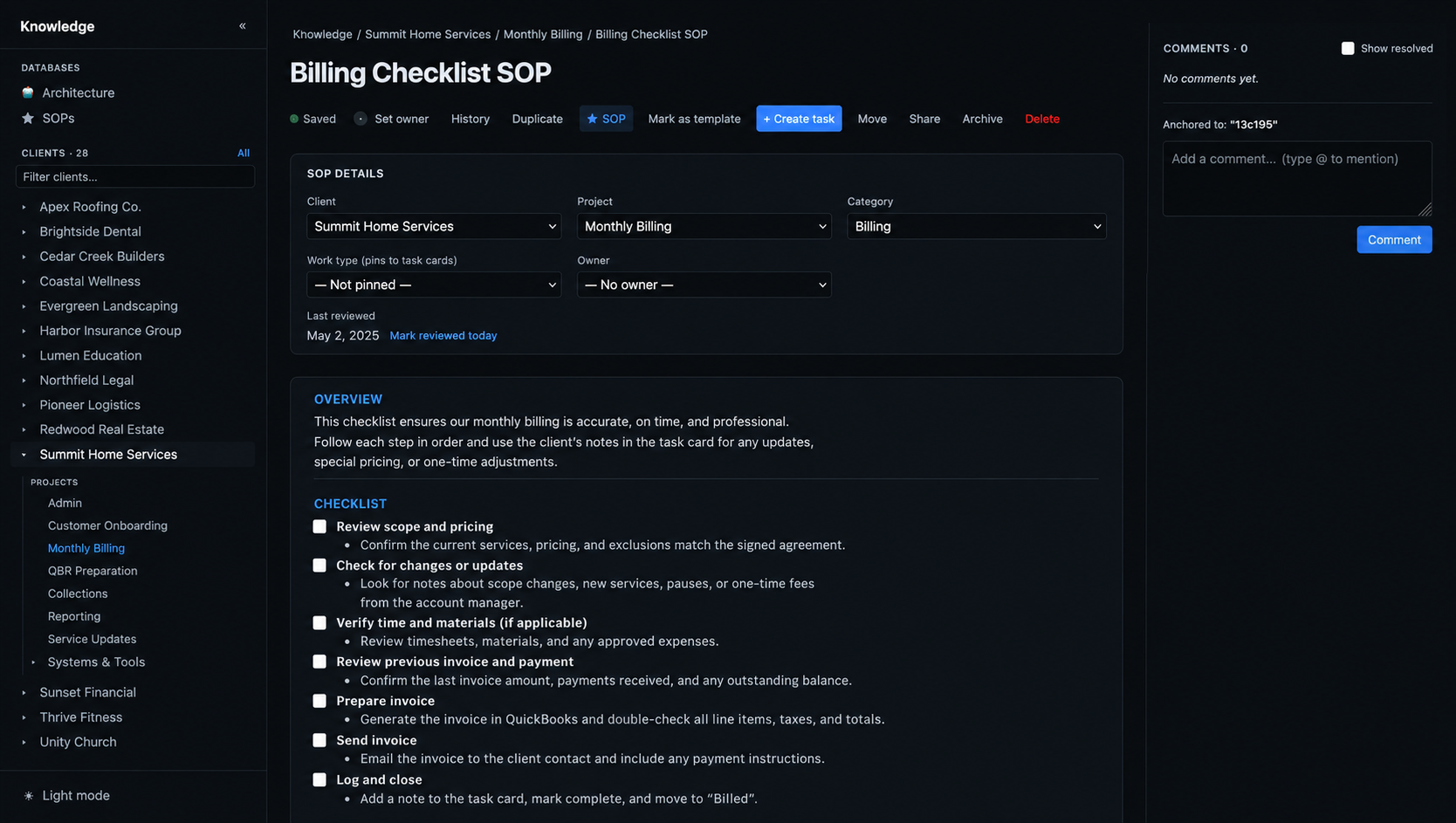
AI that reads and writes the knowledge base directly. We connected Knowledge app to Claude through a secure connection. That means someone can ask the AI to summarize something and save it straight into Knowledge app, formatted and saved with full edit history, or ask it to find an SOP and add a step. The AI can also create or update tasks and leave comments without anyone switching tools. This article was written by AI directly into the Knowledge app, as a live proof of the system working.
AI access scoped to the person, not just the tool. Each teammate can be given AI access scoped to exactly what they're already allowed to see and do, for example read access to docs and the task board with no ability to change anything. The AI never has more access than the person does. Notion has nothing like this spanning multiple tools at once.
It gets better every time the platform does. Any new capability built anywhere in the Hub becomes available inside the Knowledge app automatically. No integration to buy, no waiting on someone else's roadmap.
Notion can get partway here now, if you build it yourself. Notion's new developer platform lets teams write custom code to pull in live data from other tools. But the sync only flows one direction at launch, writing changes back requires custom logic you build and maintain, and production pricing past the current free beta period hasn't been published yet. We're not bolting something onto someone else's roadmap and hoping the pricing holds. It's the same system, built once, two-directional, already paid for.
What's Better Now
Onboarding a new team member used to mean a Notion tour and three days of "ask me if you can't find it." Now they open the Hub, find their client workspace, open a task, and the relevant SOP is already there, current and correct.
Clients don't notice the infrastructure. They notice faster responses, fewer repeated questions, and work that picks up exactly where it left off.
That's the actual goal. Not a cleaner doc structure, but a system where the gap between "we know this" and "we're using this right now" gets as small as possible.
This Is What Connectt Builds
Most agencies are still running on the scattered stack: Notion here, ClickUp there, context living in DMs. It works until the team grows or the client load compounds. Then it becomes the thing slowing everything down.
We build the version that's already a step ahead. Knowledge app attached to work. Context surfaced at the right moment. AI that can act across the whole system instead of being boxed into one tool. A single place instead of a browser full of tabs.
Frequently Asked Questions
Why did Connectt stop using Notion? Notion worked fine at small scale but broke down as the client roster grew. Docs lived in Notion, tasks lived somewhere else, and every time someone needed context mid-task they had to leave their work, search, and find their way back. That friction compounds quietly until it becomes a real cost.
What is the Knowledge App? Knowledge app is Connectt's internal knowledge system, built directly into the Connectt Hub. It organizes docs by client, keeps them searchable, links them to live tasks and projects, and lets an AI read and write directly into it.
What is the Connectt Hub? The Connectt Hub is Connectt's internal operating platform. Client work, task management, time tracking, team coordination, and knowledge app management all run in one place, replacing the scattered stack of Notion, ClickUp, and other disconnected tools most agencies rely on.
What is the difference between Notion and a knowledge system built into a task manager? Notion stores knowledge in a separate workspace. A system built into the task manager surfaces that knowledge the moment someone needs it, inside the task they're already working on, and connects it to real, live data like current tasks and hours logged.
Why do agencies outgrow Notion? As client count and team size grow, search becomes slower, doc naming gets inconsistent, and onboarding requires a dedicated orientation just to find things. The tool stops being a workspace and starts being a maintenance project.
Does Connectt offer this kind of system to clients? Yes. If you're running an agency or operations team on a scattered stack and want to see how Connectt structures client work and the Knowledge app in one place, start with one conversation.